The short version
- AI tools quote passages, so each section should answer its heading in the first sentence.
- Put a 40 to 60 word answer at the top of every important page.
- Use plain, question-style headings, HTML tables and lists where the content fits.
- Add specific facts, a real FAQ, matching structured data and a named author.
To structure website content for AI-generated answers, put a short, direct answer at the top of each page and each section, use headings that match the questions people ask, and keep every section readable on its own. Add specific facts, simple tables and an FAQ, and make the page easy to crawl.
None of this is a trick. It is the same structure that makes a page easy for a person to skim, and it gives ChatGPT, Perplexity, Gemini and Google AI Overviews clean passages to quote. This guide shows how to apply it to service pages, guides and product pages, with a before-and-after example you can copy. If the term is new to you, start with what AEO is.
How AI tools use a page when they write an answer
When someone asks an AI tool a question, it usually doesn't quote a whole page. It finds pages that look relevant, pulls the passages that answer the question best, and combines them into a reply, often with links to its sources.
That has three practical consequences for how you write:
- Passages compete, not just pages. A strong paragraph on a weak page can still be used. A vague paragraph on a strong page often isn't.
- Each passage needs to make sense alone. If a paragraph only works after reading the three before it, it is hard to lift into an answer.
- Clear structure helps the tool find the right passage. Headings, lists and tables tell a reader (human or machine) what each part of the page is about.
Google has said there are no special requirements for AI Overviews beyond normal SEO best practice, and that it chooses featured snippets automatically, with no special markup. So the goal here is not a hidden format. It is a page that answers questions clearly enough to be the obvious source.
Start every page and section with the answer
The first paragraph under the H1 should answer the main question of the page in two to four sentences, roughly 40 to 60 words. Context, background and nuance come after.
Most business pages do the opposite. They open with a slogan, a story about the company or a long setup, and the actual answer appears halfway down.
| Opening that gets skipped | Opening that gets quoted |
|---|---|
| "At Example Accounting, we believe every business deserves a partner who truly understands their numbers." | "A monthly bookkeeping service for a small e-commerce business typically covers transaction coding, bank reconciliation, sales tax tracking and a monthly profit and loss report. Most firms price it by transaction volume." |
| "Roofing problems can be stressful. That's why our team is here to help." | "A commercial roof inspection takes two to three hours for a typical warehouse and includes a photo report within 48 hours. We recommend one every spring and fall, and after major storms." |
Apply the same rule to every H2. The first sentence under a heading should answer the heading. If the heading is "How much does a roof inspection cost?", the next sentence should contain a price range or the factors that set the price, not a paragraph about why inspections matter.
Use headings that match the questions people ask
Headings are the table of contents for your page. AI tools and search engines use them to understand what each section covers, so they should describe the content plainly.
- One H1 that states the topic of the page.
- H2s for the main questions or sections, written the way a buyer would phrase them: "How long does a site migration take?" beats "Our proven process".
- H3s only for real sub-sections under an H2. Card titles, button labels and form titles don't need to be headings at all.
A useful test: read only your headings, top to bottom. If they don't give a stranger a clear outline of the page, rewrite them. We ran this test on our own site and replaced headings like "Nine stages that feed each other" with "How our SEO process works". The page looked the same, and the outline became far easier to understand.
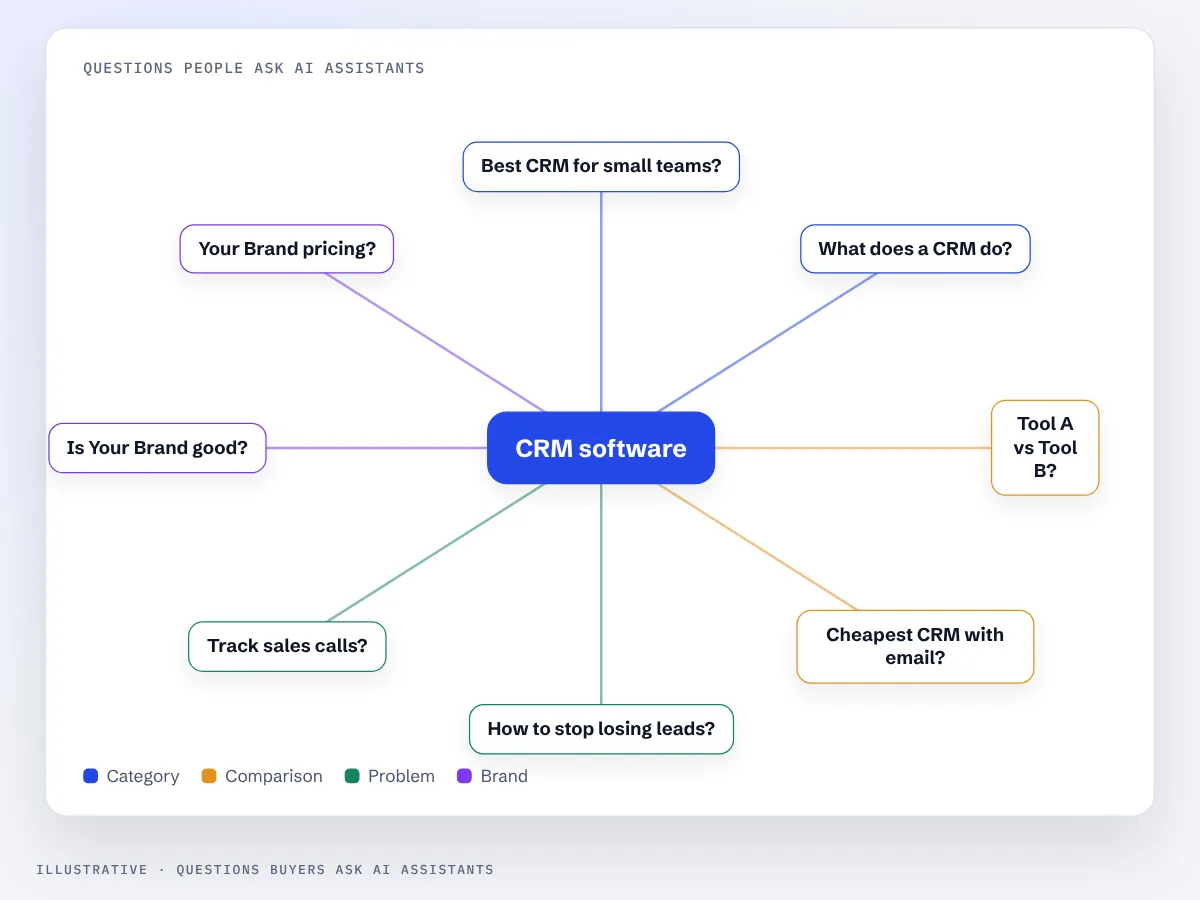
To find the questions worth using as headings, look at your sales calls, support emails, the "People also ask" box in Google and long queries in Search Console. Our guide on how to get cited in ChatGPT and AI Overviews walks through building that question list.
Write sections that stand on their own
Because AI tools quote passages, each section should make sense if someone reads only that section. In practice that means a few small habits:
- Name the subject again instead of relying on "it", "this" or "the above". Write "A technical SEO audit usually takes two to four weeks", not "It usually takes two to four weeks".
- Define terms where you use them, in one short clause. Link to a glossary for the longer version.
- Keep one idea per paragraph, and keep paragraphs short. Three or four sentences is plenty.
- Avoid cross-references like "as mentioned earlier". If the point matters here, say it briefly again.
This feels slightly repetitive when you read the page top to bottom. That small cost is worth it, because each part of the page can now be understood, and quoted, without the rest.
Use lists, tables and steps where the content fits them
Structured formats are easier to scan and easier to extract. Use them when the content really has that shape, not as decoration.
| If the content is | Use | Example |
|---|---|---|
| A process in order | Numbered list | "How to migrate a website without losing traffic" |
| A comparison of options | Table with clear column headers | "Shopify vs WooCommerce for SEO" |
| Features, signs or requirements | Bulleted list | "Signs your site needs a technical audit" |
| Prices, timelines or specs | Table or short list with numbers | "Typical costs by roof type" |
| A definition or direct answer | One short paragraph | "What is answer engine optimization?" |
Keep tables simple: a header row, one fact per cell, and no merged cells. Write tables in HTML, not as images, so crawlers can read them.
Add specific facts an answer can quote
AI answers tend to reuse concrete details: numbers, ranges, time frames, names, locations and conditions. Generic claims ("high quality", "industry leading", "tailored solutions") give a tool nothing to say.
For each important page, check that it states:
- What exactly you offer, in plain words, with the main options.
- Who it is for: business size, industry, location or situation.
- Price ranges or what changes the price, even if you can't publish fixed prices.
- Time frames: how long the work takes, when results usually show.
- Conditions and limits: what is not included, where you don't operate.
Only publish facts you can stand behind. Inflated numbers or made-up statistics damage trust with readers, and they are exactly the kind of detail an AI tool may repeat back to a buyer.
Add an FAQ section built from real questions
A short FAQ at the end of a page collects the questions the main content didn't answer directly. Each answer should be two to four sentences and start with the answer itself ("Yes, if...", "Usually two to four weeks...").
Two points to keep in mind. Google limited FAQ rich results to well-known government and health sites in 2023, so most businesses won't see the expandable FAQ result in Google. The questions and answers are still useful on the page, for readers and for AI tools. And every question should be one a real customer asked, not a keyword wrapped in a question mark.
If you want to add FAQ markup anyway, our free FAQ schema generator builds it from your questions.
Use structured data to support the content
Structured data is code that describes the page in a standard format: who the business is, what the product costs, who wrote the article. It helps search engines read facts without guessing. It doesn't replace clear writing, and it should always match what is visible on the page.
The types most businesses need:
- Organization or LocalBusiness on the homepage and contact page: name, logo, address, contact details and social profiles.
- Article or BlogPosting on guides, with the author and the publish date.
- Product on product pages, with price and availability.
- BreadcrumbList sitewide, so the page's place in the site is clear.
See schema markup in our glossary for a short explanation of how it works.
Show who wrote it and when
Readers and search systems both look for signs that content comes from someone with real experience. Google's guidance on helpful, people-first content groups these under E-E-A-T: experience, expertise, authoritativeness and trust.
- Add a named author with a short bio and, ideally, a link to a professional profile.
- Show a publish date, and an updated date when you make real changes.
- Include first-hand detail: what you saw in a project, the steps you actually follow, the mistakes you see clients make.
- Keep business details identical across your site, Google Business Profile and directories, so tools can connect the content to your business as one entity.
Keep the technical basics in place
Good structure only helps if crawlers can reach and read it.
- Main content in the HTML. If text appears only after JavaScript runs, some crawlers will see an empty page.
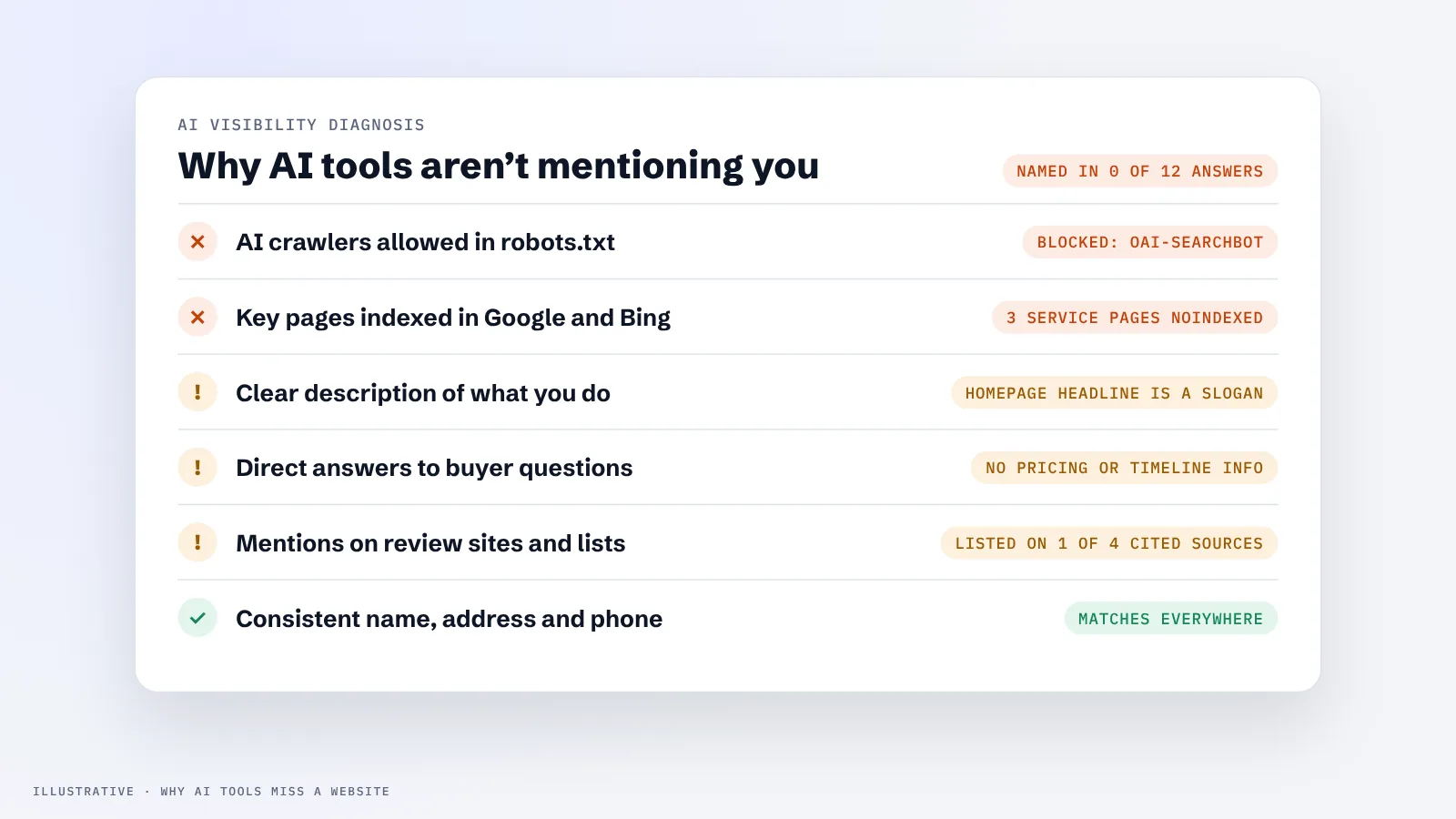
- Crawlable and indexed. Check that robots.txt allows the search crawlers you want, and that key pages are indexed in Google and Bing.
- Fast and stable pages, especially on mobile.
- Real HTML headings (h1, h2, h3), not styled text that only looks like a heading.
If pages are well written but still never appear in AI answers, the cause is often technical. Our article on why AI search engines don't mention your website covers the usual reasons, and our technical SEO services handle the fixes.
Before and after: a service page rewritten for AI answers
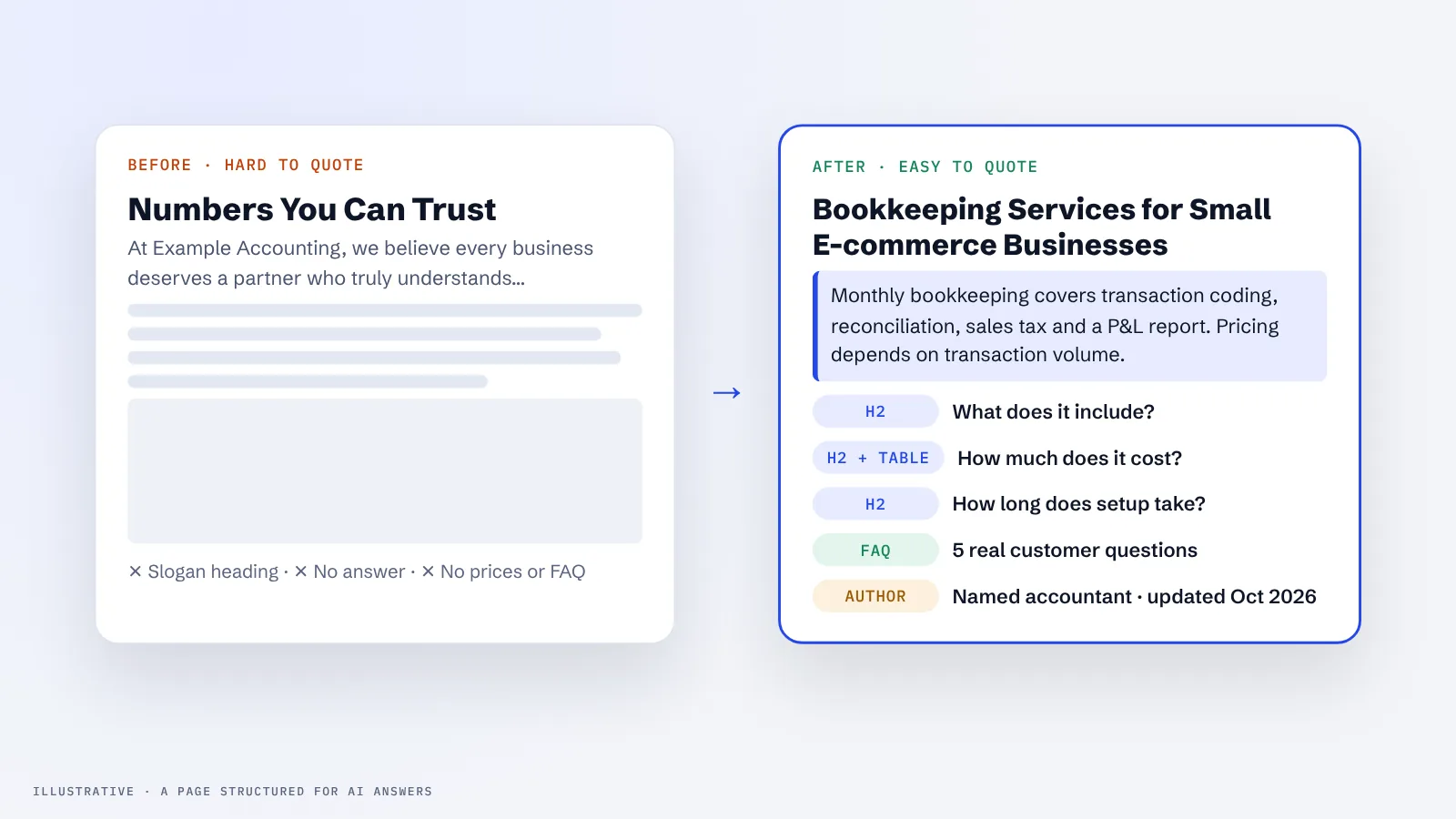
Here is how the same section of a hypothetical accounting firm's service page changes when it is structured for answers.
| Element | Before | After |
|---|---|---|
| Heading | "Numbers You Can Trust" | "Bookkeeping services for small e-commerce businesses" |
| First paragraph | A story about the founder | What the service includes, who it is for and how it is priced, in three sentences |
| Detail | "We handle everything for you" | A list: transaction coding, reconciliation, sales tax tracking, monthly P&L |
| Pricing | "Contact us for a quote" | "Pricing depends on monthly transaction volume; most stores fall between two plan levels" |
| Questions | None | An FAQ with five questions from real sales calls |
| Trust | Stock photo | Named accountant, credentials, last updated date |
Nothing in the "after" column is unusual. It is simply clearer, and that clarity is what makes a passage easy to choose and quote.
Checklist for each important page
- The first 40 to 60 words answer the main question of the page.
- Each H2 describes its section in plain words, ideally as a real question.
- The first sentence under each heading answers that heading.
- Each section makes sense on its own, with no "as mentioned above".
- Processes are numbered lists, comparisons are tables, and tables are HTML.
- The page states specifics: what, who for, price factors, time frames, limits.
- An FAQ answers real customer questions in two to four sentences each.
- Structured data matches the visible content.
- A named author and a date are shown on guides and articles.
- The main content is in the HTML, indexed, and loads quickly.
Our AEO and AI SEO services apply this checklist across a site, starting with the pages closest to revenue.
FAQ
How long should the answer paragraph at the top of a page be?
Around 40 to 60 words, or two to four sentences. That is long enough to answer the question properly and short enough to be quoted as one passage.
Should every heading be written as a question?
No. Use question headings where people actually ask that question, and plain descriptive headings elsewhere. The aim is a clear outline, not a page of question marks.
Do AI tools read structured data?
Search engines use structured data to understand pages, and AI features built on search can benefit from that. The visible text matters most, so treat markup as support for clear content, not a replacement.
Is restructuring content for AI different from writing for SEO?
Mostly not. Answer-first writing, clear headings and specific facts help rankings and featured snippets too. The main extra step is making each section self-contained, because AI tools quote passages.
Which pages should I restructure first?
Start with the pages closest to revenue: your main service or product pages, then the guides that answer common buying questions. A few strong pages do more than many small edits spread across the site.
Want to see whether AI tools already use your pages? Our free AI visibility check runs your customers' questions through ChatGPT, Perplexity, Gemini and Google AI Overviews and shows which pages, if any, get cited.